
Deepsearch AI Search Assistant
TapSuiteLifestyle
4.37.33K Reviews
- Version
- 1.3.9
- Installs
- 10.00M
- Age Rating
- Teen
Screenshots
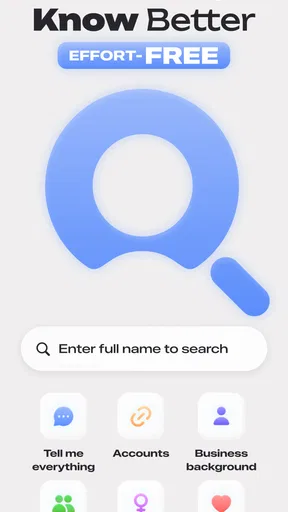


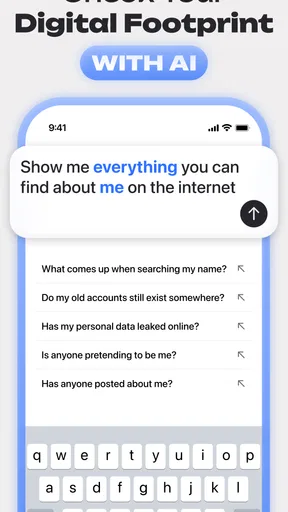


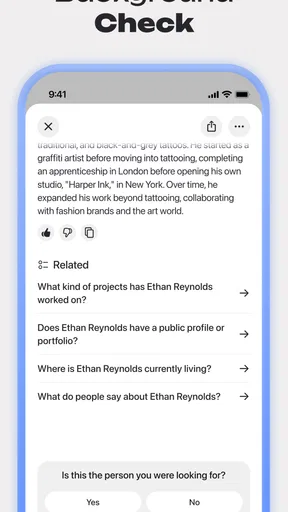

Our Review of Deepsearch AI Search Assistant
 Analysis by Appyee
My main takeaway from Deepsearch AI Search Assistant is that it aims to make finding information feel more like asking a question than assembling the right keywords. That approach can be useful when I have a fuzzy starting point or want to explore a topic without deciding in advance which site to visit. It is a lifestyle app from xStudios, and its focus is clear: make everyday searching feel more conversational. I’d consider it as an extra way to look things up, not an automatic replacement for every search tool I already use.
Where an AI search approach helps
Traditional search is still good when I know the exact phrase, website, or product I need. An AI-oriented search can be more comfortable when I only know the question in ordinary language. For example, while planning a weekend activity, I might start with a broad question about things to do nearby, then narrow it down by asking about indoor options or a particular kind of outing. The useful shift is from guessing search terms to describing what I want.
That convenience matters most when a query has several parts. Instead of searching separately for a topic, a constraint, and a useful angle, I can try stating them together and see whether the results are a better fit. I would still treat the response as a starting point: for practical decisions, I check the underlying information and compare sources rather than assuming a fluent answer is automatically complete or correct.
A practical way to use it
I’d get more value by treating each search as a short process rather than expecting one perfect result. First, phrase the question naturally and include the detail that makes the answer useful, such as a time constraint or the kind of information I’m after. Then review what comes back. If it is too broad, follow up with one specific refinement instead of rewriting the entire query. That small habit makes it easier to judge whether the app understood the task.
For instance, if I’m comparing ideas for a quick dinner, I could ask for a recipe direction, then clarify that I want something simple to prepare. I would still verify ingredients and instructions before cooking. In a more serious task, such as looking into a health, financial, or legal question, I would use an AI search tool only to orient myself and would consult reliable specialist sources before acting. Speed is useful, but it is not a substitute for checking important claims.
Who should look elsewhere
This kind of tool may suit curious people who often start with broad questions, enjoy exploring a subject, or want a more conversational alternative to keyword searches. It can also be handy when typing a full question feels more natural than reducing it to a few search terms. On the other hand, someone who mainly needs exact results—such as a particular page, a direct product listing, or a current official instruction—may find a standard search engine or the relevant organisation’s own site more efficient.
I would also be cautious about using any personalisation as a reason to trust results without checking them. A result that feels tailored is not necessarily the most authoritative one, and preferences that help with casual discovery may not be appropriate for sensitive research. If your priority is a transparent, source-by-source comparison, a conventional search workflow can make it easier to inspect several publishers side by side.
Getting Started with Deepsearch AI
Setting up Deepsearch AI Search Assistant is a breeze. You download it from the app store, and within minutes, you're ready to roll. The interface is clean and intuitive, which is always a win in my book. You don’t have to be a tech wizard to figure out how to use it, and that’s a huge plus.
Once you’re in, the app offers a tutorial to get you acquainted with its features. I found this super helpful because it highlighted some neat tricks I might have missed otherwise. For instance, the app uses natural language processing to understand your queries better. So, if you’re like me and sometimes type in full sentences, it’s got your back.
Features Worth Noting
The real magic of Deepsearch AI lies in its ability to deliver personalized search results. It learns from your behavior over time and tweaks the results to better match what you’re looking for. I’m talking deeper context, not just the usual keyword matches. It's like having a search engine that actually gets you.
Also, the app supports voice search, which is super handy when you’re on the go or just feeling too lazy to type. I tested this out while cooking dinner, and it worked like a charm. Just a quick "Hey, Deepsearch, find me the best pasta recipe," and boom, it’s all there.
Why You Might Love It
If you’re someone who values efficiency and accuracy in your digital searches, this app could be a game-changer. I found it especially useful for research projects, where digging through tons of info can be overwhelming. Deepsearch AI does a great job of cutting through the noise and presenting the most relevant results.
And let’s not forget about privacy. The app emphasizes keeping your data secure, which is crucial in today’s world. Knowing that your search habits aren’t being broadcasted all over the internet is a relief.
What to expect from the trade-offs
Personalisation is appealing, but it also makes the search experience less neutral: results shaped by past behavior may not be the broadest possible view of a subject. When I want a fresh perspective, I’d phrase the question in a different way and compare what appears with a regular web search. That is a simple check, and it helps separate a convenient match from a complete answer.
Voice search has a similar trade-off. It can be useful when my hands are occupied, but spoken questions are easy to phrase vaguely, and a noisy room or an unfamiliar name can make the query less precise. I’d use voice for quick discovery, then switch to typing when a detail matters or when I need to refine the wording carefully. The pasta example is a good low-stakes fit; researching an important decision deserves more deliberate checking.
Cost, age, and availability
The app is free to install, with in-app purchases ranging from $6.99 to $39.99 per item. I’d start with the free experience and decide whether it fits my routine before spending anything. If you only search occasionally, there may be little reason to pay; if you find yourself using it regularly, consider whether the paid options offer value for the way you actually use it. The Teen content rating is also worth noting for families choosing apps for younger users.
It has a 4.0 average from around 222,000 ratings, with over 1 million installs. Those figures suggest it has reached a sizeable audience, but they do not tell me whether its answers will suit my particular searches. I’d judge it on a few everyday queries of my own rather than treating popularity as a guarantee. The app is at version 1.2.4, was released on April 16, 2025, and requires Android 7.0 or later.
My verdict after weighing the fit
Overall, I’d recommend trying Deepsearch AI if you often have questions that are easier to explain in a sentence than to reduce to keywords. Its appeal is the conversational, more tailored way of exploring information, and voice search can make quick, hands-busy queries convenient. The sensible way to use it is as a discovery aid: refine broad questions, inspect what it returns, and verify anything consequential.
I would skip it as my primary tool if I mainly need exact official pages, want to compare sources manually, or prefer searches that are not shaped by personalisation. I also wouldn’t pay before I knew the free experience matched my habits. For casual exploration and everyday curiosity, it has a clear role; for precision or high-stakes research, I’d pair it with conventional search and authoritative sources. That balanced approach is what makes the app worth a try without expecting it to do every kind of searching equally well.
Wrapping It Up
Overall, I’d say Deepsearch AI Search Assistant is a solid app for anyone looking to optimize their search experience. It’s smart, user-friendly, and respects your privacy—all things that make it worth checking out. Give it a try, and you might just find it becomes a staple on your device.
Verdict
Strengths of Deepsearch AI Search Assistant
- Fast and accurate search results.
- User-friendly interface design.
- Supports voice commands.
- Customizable search filters.
- Integrates with other apps easily.
Limitations of Deepsearch AI Search Assistant
- Limited offline functionality.
- Occasional ad interruptions.
- High battery consumption.
- Requires frequent updates.
- Subscription required for premium features.
Other Releases by TapSuite
View All
Chatbot App - AI Assistant
Productivity4.2

Scanner App - Scan PDF & Docs
Tools4.5

Clean Up Phone Storage: CleanX
Tools4.5
Similar Picks in This Category
View All
SmartThings
Samsung Electronics Co., Ltd.4.6

Google Home
Google LLC4.0

Pinterest4.2

Astrotalk - Talk to Astrologer
Astrology & Horoscope4.7

My Verizon
Verizon Consumer Group4.5

Samsung Wallet (Samsung Pay)
Samsung Electronics Co., Ltd.4.1
Frequently Asked Questions
What is Deepsearch AI Search Assistant and how does it work?
Deepsearch AI Search Assistant is an advanced search application that uses artificial intelligence to deliver precise and relevant search results. It analyzes user queries in depth, utilizing machine learning algorithms to understand context and intent, thereby providing tailored search experiences. Whether you're looking for documents, images, or web content, Deepsearch AI aims to streamline the search process efficiently.
Is Deepsearch AI Search Assistant available for both Android and iOS devices?
Yes, Deepsearch AI Search Assistant is available for download on both Android and iOS platforms. It has been optimized to work seamlessly across different devices, ensuring that users on both systems have access to its full range of features. You can find it in the Google Play Store for Android and the Apple App Store for iOS.
Does Deepsearch AI Search Assistant require an internet connection to function?
While Deepsearch AI Search Assistant requires an internet connection to perform web searches and retrieve real-time data, it also offers offline capabilities. Users can access previously saved searches and documents without connectivity. However, to leverage the full potential of AI-driven search results, an active internet connection is recommended.
Are there any privacy concerns with using Deepsearch AI Search Assistant?
Deepsearch AI Search Assistant places a high priority on user privacy and data security. It employs robust encryption methods to protect personal information and search data. The app does not store search histories on its servers unless explicitly permitted by users. It also complies with international data protection regulations, such as GDPR.
What are the main features of Deepsearch AI Search Assistant?
Deepsearch AI Search Assistant offers a range of features including voice search, image recognition, and real-time translation of search queries. It supports multi-language searches and provides personalized search recommendations based on user behavior. The app also integrates with various productivity tools, enhancing its functionality beyond simple searches.
